
Premium Touchless Soap Dispensers for Modern Commercial Restroom Design
May 22, 2026 By Ilse Crawford | Hospitality and Environmental Design Specialist ★★★★★ Trusted by Luxury Hotels, Architects & Commercial Projects WorldwideThoughtful design begins with understanding how people experience a space. At FontanaShowers, we engineer automatic sensor soap dispensers that combine advanced touchless technology with architectural elegance. Our commercial-grade collection is specifically designed for luxury hotels, corporate facilities, healthcare environments, and modern public restrooms where hygiene, durability, and aesthetics are equally important.
Each dispenser features precision infrared sensors, silent pumps, corrosion-resistant finishes, and smart power management. Whether you’re specifying for a new construction project or retrofitting an existing facility, our touchless solutions reduce cross-contamination risks while delivering consistent, reliable performance. From brushed steel to matte black and rose gold finishes, every unit is engineered to complement contemporary commercial restroom design.
Infrared Precision Sensor Long Battery Life (6–12 months) Anti-Drip System Premium Finishes Available Medical Grade Options Eco-Friendly Operation

Thank you for purchasing our products and we will offer our best service to you sincerely.
For the safety, please read & understand this intstruction thoroughly before installation
and operation.
Automatic Sensor Faucet
Instruction of Installation and Operation


Warnings ………………………………………………………………………………………………………………………………………….
Specifications ……………………………………………………………………………………………………………………………………
Before usage …………………………………………………………………………………………………………………………………….
spare parts …………………………………………………………………………………………………………………………
Confirmthe
Name of spare parts …………………………………………………………………………………………………………………………….
Installation position of the faucet …………………………………………………………………………………………………………….
Installation of control box ………………………………………………………………………………………………………………………
Connection of spare parts ……………………………………………………………………………………………………………………..
Installation or replacement of battery ………………………………………………………………………………………………………
Testing and usage ………………………………………………………………………………………………………………………………
Care and cleaning ………………………………………………………………………………………………………………………………
Clean the filtration system …………………………………………………………………………………………………………………….
eriodic maintenance ………………………………………………………………………………………………………………………….
P
Long-term supension of use ………………………………………………………………………………………………………………….
rouble …………………………………………………………………………………………………………………………………..
Product t
…………………………………………………………………………………………………………………………………
Trouble shooting
Warnings
Please DON’T disassemble, repair or refit the products, because it might lead to electricity shock
or product breakdown, unless stated otherwise.
Please DON’T install the products in humid place, especially in bathroom or Sauna room.
Please DON’T strike the products, as this may damage the unit or cause water leakage.
Please DON’T use the product in the place where freezing might be occurred.
Please ensure that the power line separates from hot water line/tube
Please keep the detecting scope clear to avoid interference.
Please install the power socket/outlet in the place where water cannot be reached or sprayed.
Specifications
Power
supply
AC
AC 220~240V
DC
4*1.5V AA Alkaline batteries
Sensor
detection
range
Ambient
temperature
HumidMax.90RH
Water pressure
Product consumption
Flowrate
1
1
1
2
2
3
4
5
5
6
6
7
7
8
8
8
9
For the safety and smooth operation, please pay attention on the following warnings.
Contents
Common Tools needed
Adjustable
wrench
Screwdriver(Phillips)
5~250mm
(
base on 300*300mm white board
)
1
~
55
℃
Humidity
5
~
0
.
7MPa
Standby: ≤2W;Active:≤5W
–

Before usage
1.Please read this instruction manual carefully and fix the products correctly.
2.We reserve the rights to upgrade products without a notice.
3.Flush the water supply pipes thoroughly to remove debris. Faucet is
designed for tap water or potable water.
4
.Please check whether the following spare parts completed or not.
Confirm
the
spare parts
Spout for faucet
Control box
Screw part
AC Adapter
(AC)
Note
:
As to the spare parts of power supply, please refer to the type of your purchased products.
2
Self-tapping Screw*5pcs
Anchor*5pcs

3
Sensor
Nozzle
Spout
Battery box
AC adapter
Sensor
plug
AC adapter input plug
Water inlet
Water outlet
Water outlet hose
Name of spare parts
Notes:
Fo
r the power adapter, please refer to the
type you purchased.
Control box
Power output plug
Valve plug
S.S bracket

4
1
2
0
°
1
2
0
°
5mm
Installation of water faucet (
I
nstalled on the fa
k
e wall)
① ② ③ ④
P
repare the
32mm PVC
pipe by the
user
I
nstall the
decorative cover
A
djust the location
of spout then fasten
the nut
B
ring out the
pipe and cable
F
ix the spout
with
32mm
32mm
E
mbedded slot
P
repare the
32mm PVC
flange pipe
by the user
175
1
1
5
8
2
0
72
Installation position of the faucet
Installation of water faucet (installed on the soild wall)
① ② ③ ④ ⑤
44mm
I
nstall the pipe
and cable
Please take your purchased product as final, the outlook shown in the diagram might be different from the actual product.
Tips
:
1. Please make sure there is enough space
for installation of control box of faucet.
2. The given dimensions shown on the diagram
is for reference only, the actual size might be
different than those indicated on the diagram.
Diagram
S
ingle-cold type
( )
( )
进
水
W
a
t
e
r i
n
c
o
m
i
n
g
1
5
0
~
3
0
0
F
inish the installation!
1. Cut the wall then make slot and embed 32mm PVC pipe used for cable.
2. Mark the installation holes according to diagram ② then drill the holes.
3. Install the pipe and cable into the embedded PVC pipe and birng out them then fix the spout with the equipped screw according to
the diagram ③.
4. Install the decorative cover and adjust its location then finish the installation.
I
nstall the pipe
and cable
B
ring out the
pipe and cable
F
inish the installation!
1. Mark the location of inlet and outlet of cable and pipe and cut the hole with 32mm diameter for cable and pipe according to
diagram ①.
2. Install the pipe and cable into the proposed hole and bring out them according to the diagram ②.
3. Adjust the location of spout and fix it onto the fa
k
e wall by the equipped screws.
4. Install the decorative cover and adjust its location then finish the installation.
110
5
3
8
2
0
R
e fe re nc ed fi n i s h e d
h e i g h t 200 mm
68
R
e
f
e
r
e
n
c
e
d f
i
n
i
s
h
e
d
h
e
i
g
h
t o
f c
o
u
n
t
e
r t
o
p
88

5
Spout
Battery box
AC adapter
Water inlet hose
AC adapter input plug
Water inlet
Water outlet
Water outlet hose
Power output plug
Valve plug
2
Installation of control box
1
9
m
m
Screw hole
Screw hole
I
nstallation of control box
Drill 2 pcs 5mm holes on the proposed wall according to the dimension shown on the diagram ① and
install the screws, then fix the control box onto the wall in accordance with diagram ② (fix the S.S bracket
located on the back of the host on the pre-installed screws).
① ② ③
Completed diagram
Screw
Hang the control box on
the screw
S.S bracket
1. Connect the water incoming
pipe into the inlet of control
box according to the diagram
then fasten it by wrench.
2. Connect the water outgoing
pipe into the outlet of control
box according to the diagram
then tight it by wrench.
3. Connect the sensor cable of
water faucet into the
valve plug
& power output plug
of control
box according
to the marked direction.
4. Connect the AC adapter’s output
plug into the AC
adapter
input
plug of control box.
Note:
Please ensure the incoming and outgoing water pipe are connected closely and
comprehensively to avoid water leakage.
2
Connection of spare parts

6
I
nner light
of sensor
Sensor
把手伸到水龙头嘴下方。
P
ut your hands under
the nozzle of faucet.
把手从水龙头嘴下方移走。
M
ove your hands away.
I
nner light
of sensor
Sensor
P
ut your hands under
the nozzle of faucet.
M
ove your hands away.
1. Water dispensing
Pu
t your hands under the faucet (50-120mm from the
nozzle) then the water will be dispensed automatically.
No
te:
P
lease
do
not
block the nozzle by hands to avoid
the water spraying).
2. Water stoppage
Re
move your hands away then the water will be stopped
automatically.
Ti
ps:
T
here is
6
0 seconds setting in this device, it will stop
dispensing water automatically with 30 seconds even the
hands are still under the device.
Testing and commissioning
After completion of installation, please test the product
according to the following instructions:
Usage
Pease use the unit as below after the testing
is done:
1. Connect the power:
Connect the AC or DC power after the installation
of device.
2. Confirm the sensor:
①. Please confirm the sensor inner light is stop flashing
or not when there is no objects in front of sensor (after
connecting the power, the inner light will flash and set
the sensing distance automatically.
②. If the inner light is still flashing, please adjust the nozzle’s
direction slightly until the flash stop.
③. About 10 minutes passed after connecting the power, the
sensor will finish the flash and sensing distance setting.
If the direction of faucet nozzle is failed to set up after the
sensor stops the flash, then please disconnect the sensor
cable and repeat the above steps.
Testing and using
Installation or replacement of battery
I
nstall 4 AA batteries
T
ake out
battery case
Open the
battery
cover
of control box
1.
Open the battery cover of control
box and take out the battery case
according to the diagram ①.
2.
install 4 pcs AA batteries correctly
and put the battery case into the
control box and fix its cover as per
diagram ②.
Note:
This product is sold without battery.
Note:
Please place the batteries correctly
according to the anode and cathode.
① ②

7
Sensor
Care & Cleaning
For light cleaning
Please use the soft cloth soaked with water and drying it and
then to wipe off the stain affixed on spout & sensor cabinet.
For heavy- dirt cleaning
Please use the cloth soaked with right amount of neutral detergent
to wipe off the stain and then clean by water.
Please be careful during cleaning surrounding of sensor cabinet to
avoid the scratching.
Please do not use the detergent which might do harm to the spout
such as acid detergent, chlorine decolorizer & alkali detergent.
The following items are prohibited to adopt for cleaning the product.
The detergents contained abrasive grain, such as polishing powder.
Solvent such as
:
Paint and the solvent covered benzene.
Abrasive such as
:
Nylon brush/steel wool,etc.
T
ake out the
filter net
F
ilter net
Clean the filtration system
W
ash the fliter
net by water
F
ilter net
The control box is equipped with independent
filtration system, but if the water quality is low
inside the pipe and with the long-term usage,
the water dispensing might be not good, in this
case, please follow below instructions.
1. Turn off the angle valve placed on the water
supply to avoid the water flow during the
cleaning.
2.
Unscrew the inlet pipe and take out the filter
net from water inlet of control box then wash
the blockage and finally fix the filter device
.

8
Periodic maintenance
Long-term suspension of use
Product trouble
T
wice annually:
1. Please check all the connected parts to see whether there is leakage or not, and fasten
or change the loosen or wear-out spare parts according to the real situation.
2. Please check the faucet and control to see whether they are loosen or not and fasten
they if needed.
N
on
periodic
inspection
:
1. Please clean the dirty when the sensing distance becomes short and the dirty is found
on the sensor shell or case.
2. If the water is coming out for 2 seconds and the light of sensor flashes quickly in 2
seconds, it shows the batteries are in insufficient, please change the batteries
(For the DC type).
Please follow below instructions when the unit is in long-term suspension of use
1. Turn off the incoming valve or main valve of water faucet.
2. Cut off the AC power and take out the batteries.
Please follow the below instructions in case product in trouble
1. Please check the Trouble Shooting table in case product in trouble to solve the problem.
2. Once there is water leakage occurred, please turn off the water valve then conduct the
trouble shooting.
3. If the trouble shooting is failed even all the given instructions had been tried, then
please contact the installer or the distributor.

Some trouble symptoms can be identified by the indicator’s flashing.
Symptoms Probable Causes
Corrective Action
No battery or wrongly connected
No power supply or wrong connection
Object in sensing range
Dirt on the sensing window
The connector does not connect well
No water flow while
the indicator flashes
Keep water out within 1 minute
while indicator does not flash
Just finishing installation
The connector assemblies are closed
Aerator is blocked
The filter is blocked Clean filter
The connector assemblies are not open
completely
The filter is blocked
Aerator is dirty
The supply water pressure is lower
Turn counterclockwise the adjustment bolts on
connector assemblies with the hex wrench
Clean filter
Clean the aerator
Check the water supply system
Wait for 10 minutes
Open the connector assemblies
Clean the aerato
Check the batteries
Check the power supply and the conncetion
Remove the object
Clean the sensing window
Check the connector
No water flow
(Indicator not flashing)
The indicator flashes once
every 2 seconds and the
water doesn’t flow out.
Low water flow while the
indicator does not flash
Object in sensing range
Remove object
Refer to “Note of the Indicator Flashing”
Please contact with distributor, if the trouble remains after above-mentioned actions are
taken
.
Please do not disassembly the other parts of the faucet freely except installing and replacing batteries.
Batteries are out of power
Just power cut
DC or AC connector of AC/DC transformer
may not connect well
Replace batteries
Check the power supply
Reconnect the connector
9
Trouble
shooting
Explore Fontana Touchless Systems™ – Positano Collection
Engineered for Architects, Engineers, Contractors, Facility Managers, and High-Traffic Commercial Facilities.
Trusted touchless solutions for specification-driven commercial projects.
Frequently specified products across commercial restroom projects.
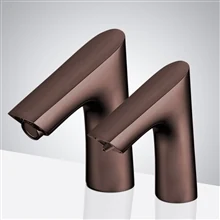
Touchless faucet combining durability with refined commercial styling.
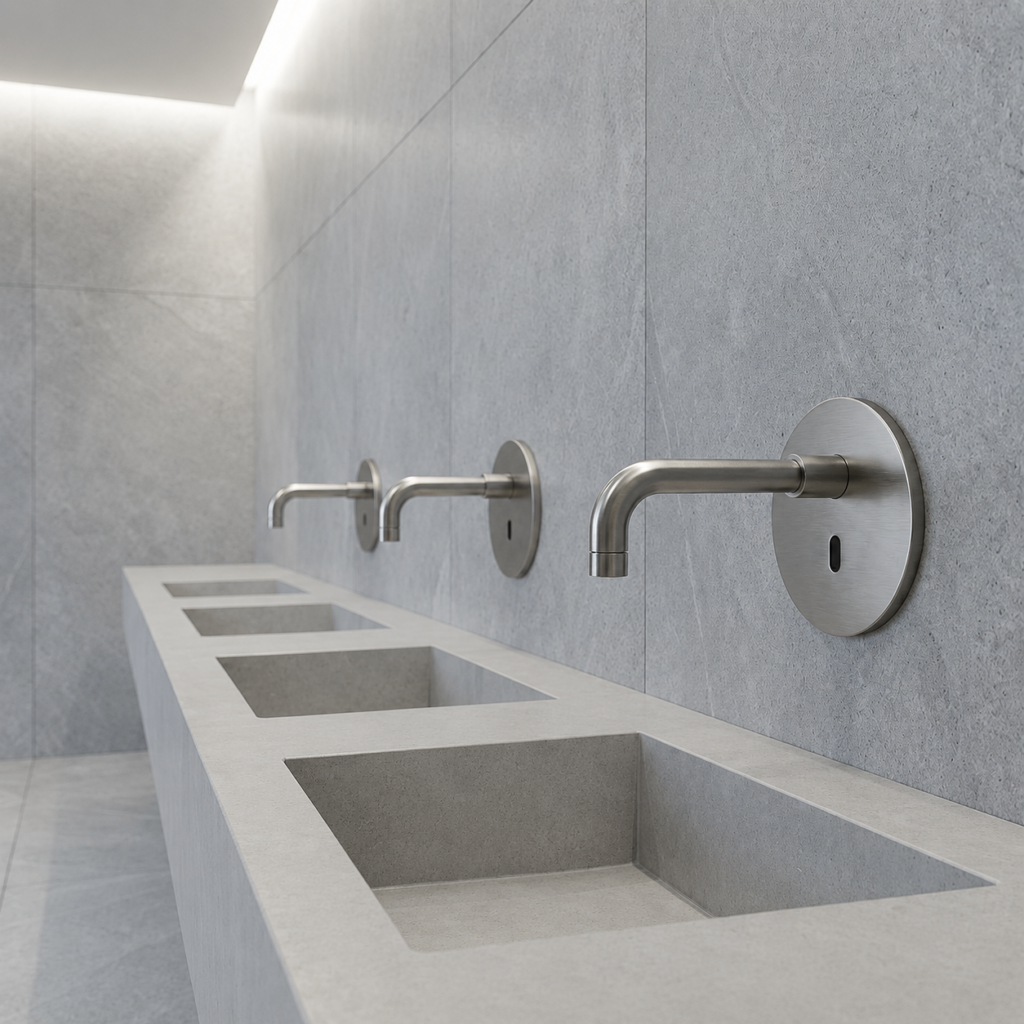
Reliable infrared activation for high-traffic commercial environments.
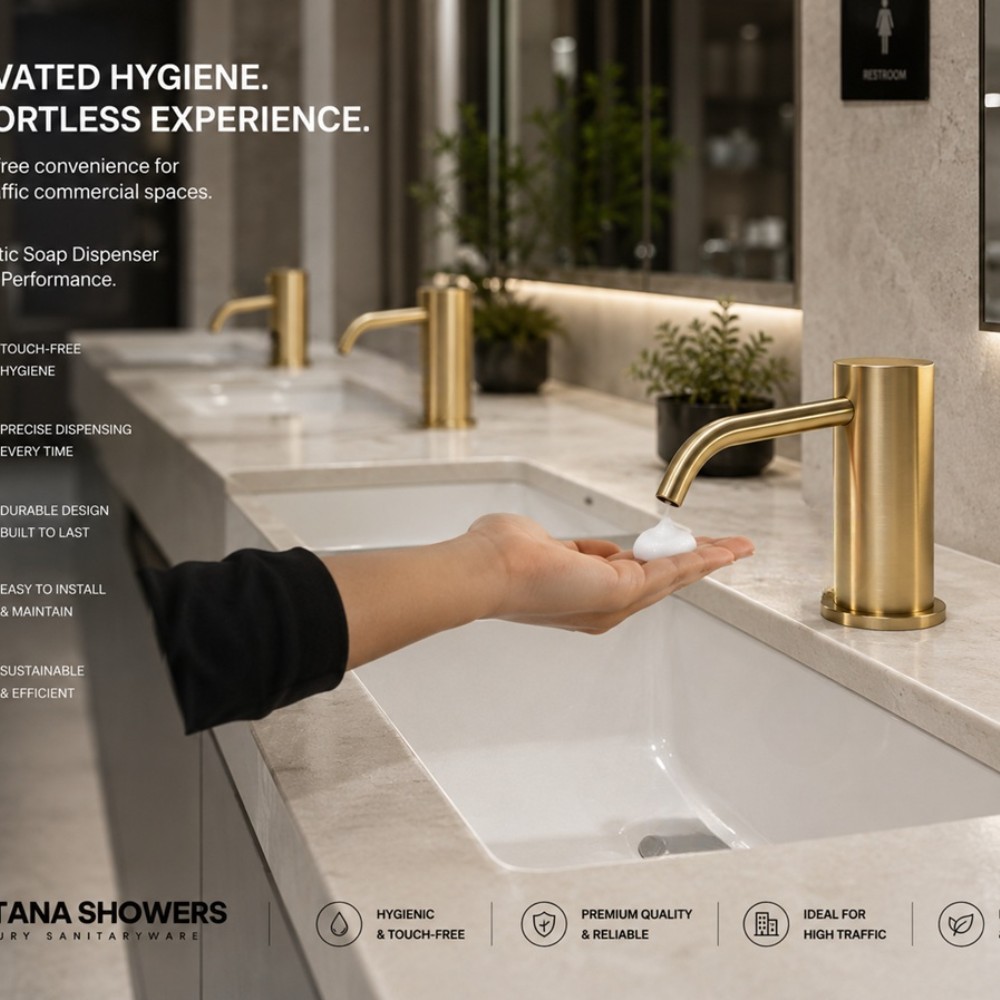
Premium Touchless Dispensers as an Architectural Design Element
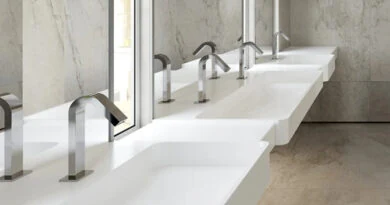
Modern commercial restrooms demand more than functional soap delivery. Premium touchless dispensers integrate sensor technology with refined finishes, clean geometry, and coordinated fixture styling. For luxury hotels, corporate offices, airports, restaurants, and high-end developments, designers can align dispenser profiles with faucets, countertops, mirrors, and surrounding materials to create a cleaner, more intentional restroom aesthetic.

Where Hygiene Technology Meets Premium Restroom Aesthetics
A well-specified automatic soap dispenser should support hygiene without disrupting the architectural language of the restroom. Sensor activation eliminates routine hand contact, while coordinated finishes and streamlined forms complement contemporary interiors. For architects and designers, selecting commercial-grade dispensers with accessible servicing, durable construction, reliable sensing, and visually compatible fixtures helps unite operational performance with premium restroom design.